TL;DR
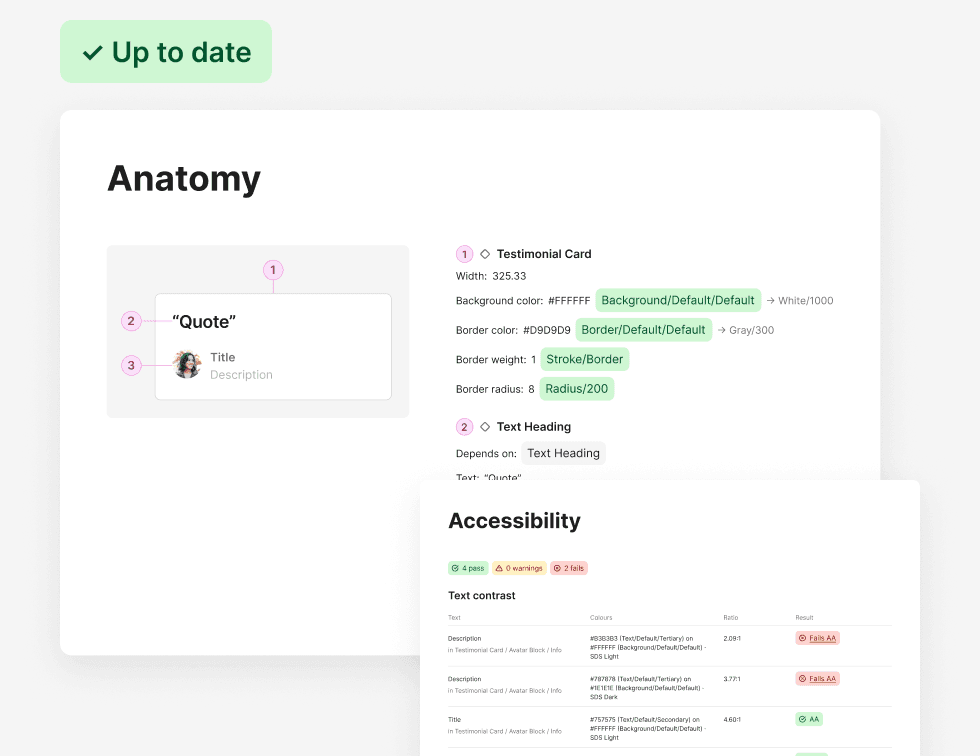
Developers don't always have a Dev Mode seat, and handoff pages go out of date as soon as something changes. So I built a plugin that adds everything a developer needs right next to the design, in a couple of clicks. When the file changes, it notices and updates in place with one click. It's free, works offline and is live in the Figma Community.
- Topics to document, from anatomy to prototype
- 11
- To bring a handoff back up to date
- 1 click
- Extra seats needed by developers
- 0
The problem
Dev notes stop being up to date when the design changes
Writing dev notes by hand takes a designer a lot of time. Some plugins can generate them, but they can't update them: every fix means generating them again and deleting the old page.
Developers
They can't always inspect the designs.
Not every developer has a Dev Mode seat, especially in external agencies. Without one, they can't use Dev Mode or see Figma's own annotations, so the canvas is all they see.
Designers
Every change means starting over.
Fix a padding, generate the page again, delete the old one and move the new one back into place.
The cost
Hours that should go into design.
Redoing the same notes after every round of changes eats into the time a designer has for the next design.
The plugin
Meet Dynamic Handoff
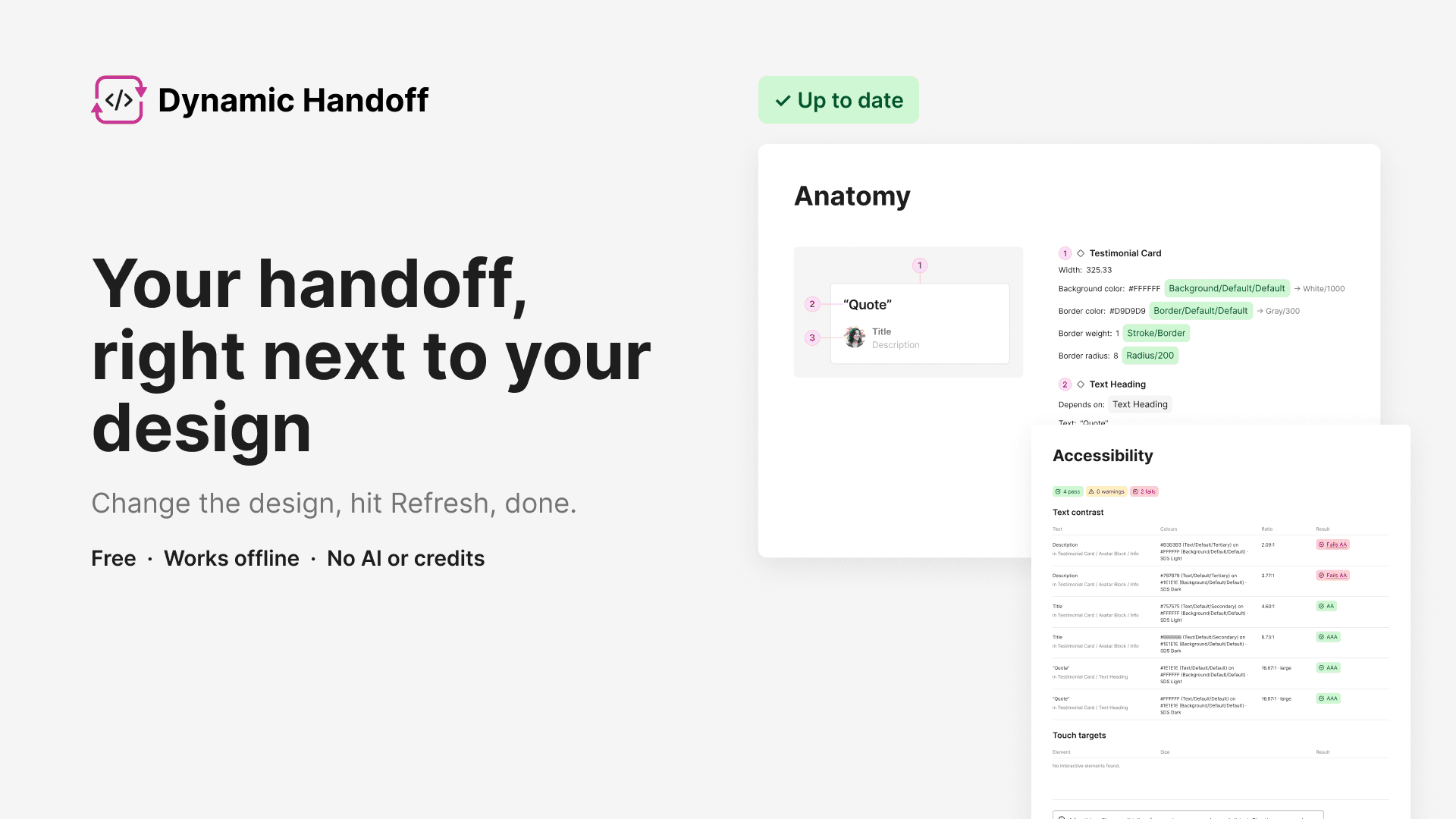
Free, works offline, no AI or credits. Live in the Figma Community.
Refresh in place
Change the design, hit Refresh.
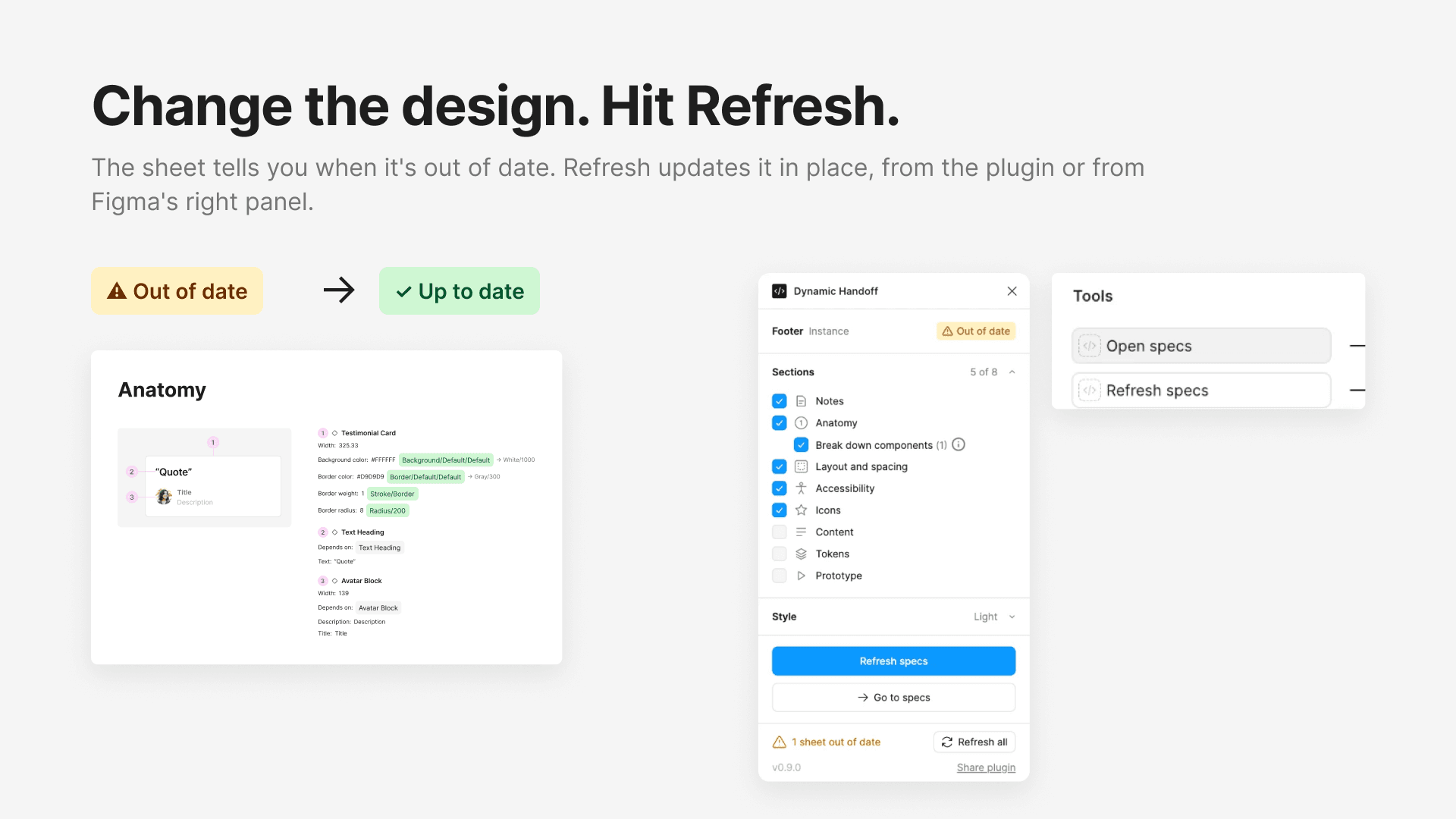
The page notices when the design changes and updates in the same spot. No new copy, nothing to delete.
On the canvas
Developers never open the plugin.
Everything lives in the file: icons ready to export as SVG, tokens with their code names and a playable prototype.
Free and offline
No AI, credits or account.
It never connects to the internet, so it's safe for companies with strict security rules.
Feels native
A panel that looks like Figma.
Built with Figma's own UI3 patterns and colours, in light and dark. It feels part of the tool, so designers, the people I made it for, find it easy and comfortable from the first click.
It knows when it's behind
The page flags itself when the design changes. Refresh from the plugin or straight from Figma's right panel.
One row of pages, one per topic
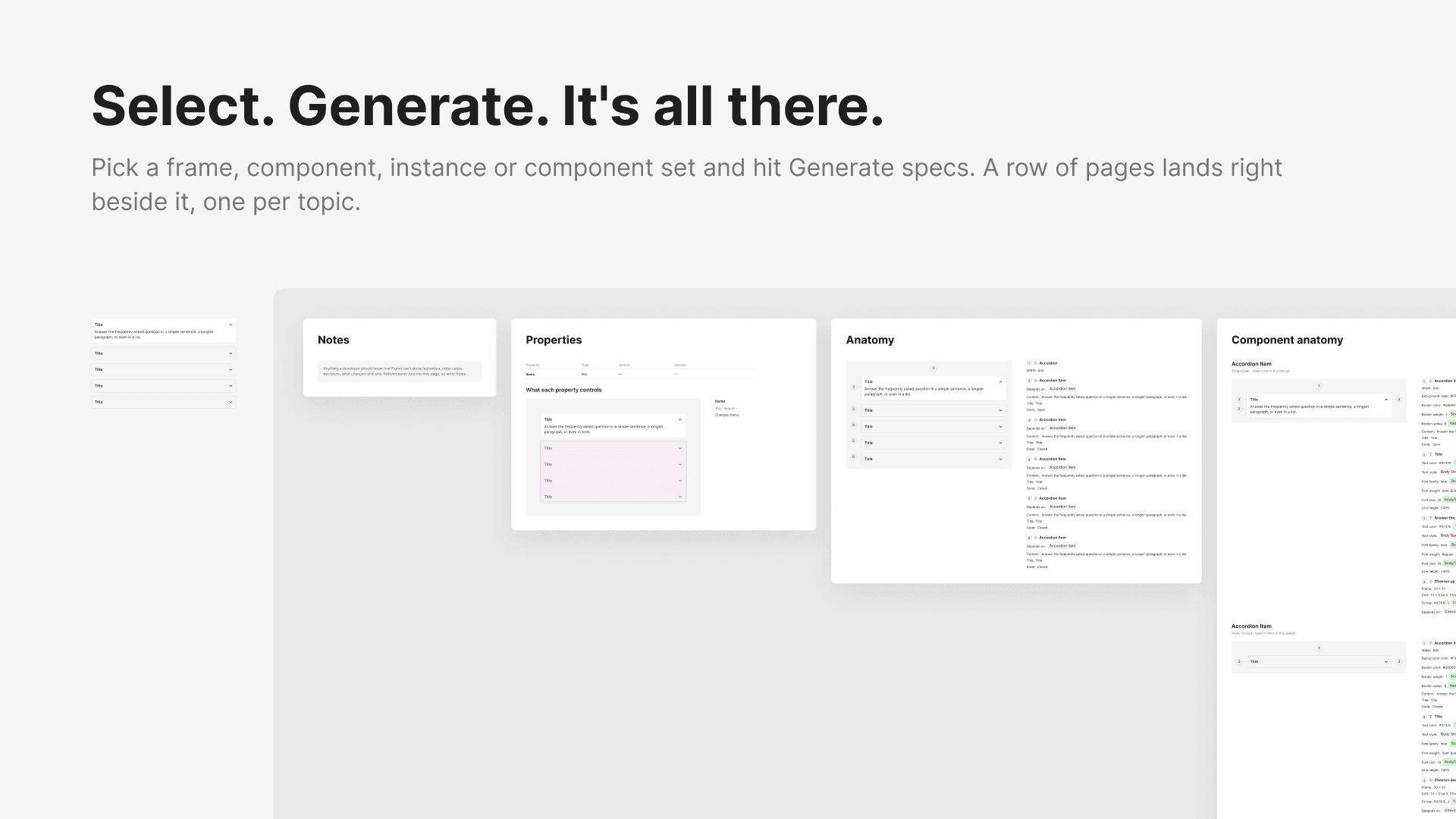
Notes, anatomy, layout, accessibility, tokens, icons and a prototype. Pick only what you need, then drag and drop the notes into the order you want.
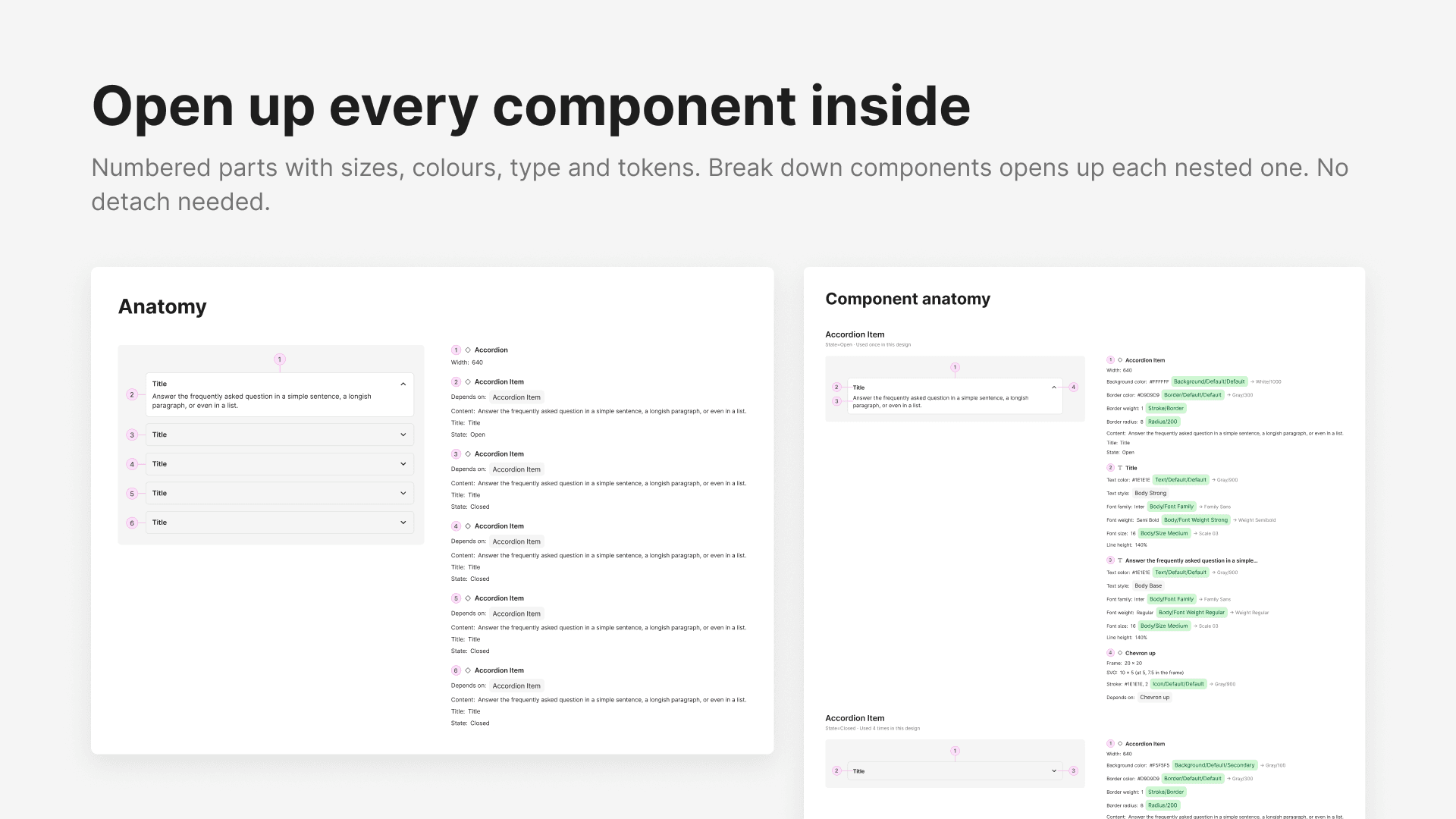
Every part, numbered
Sizes, colours, type and tokens, with nested components opened up. No detach needed.
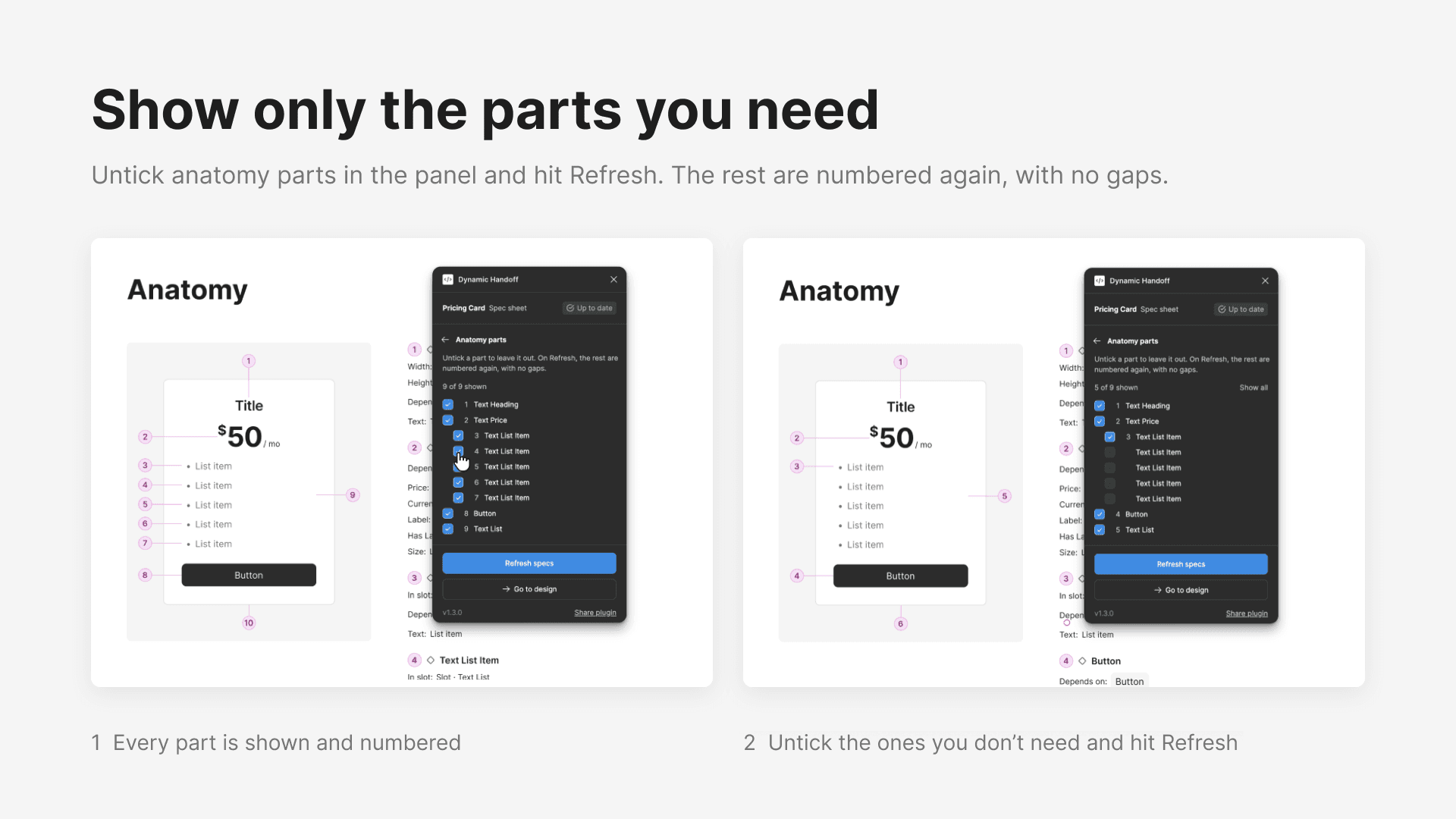
Hide what you don't need
Untick the anatomy parts you don't want to show, and the rest are numbered again, with no gaps.
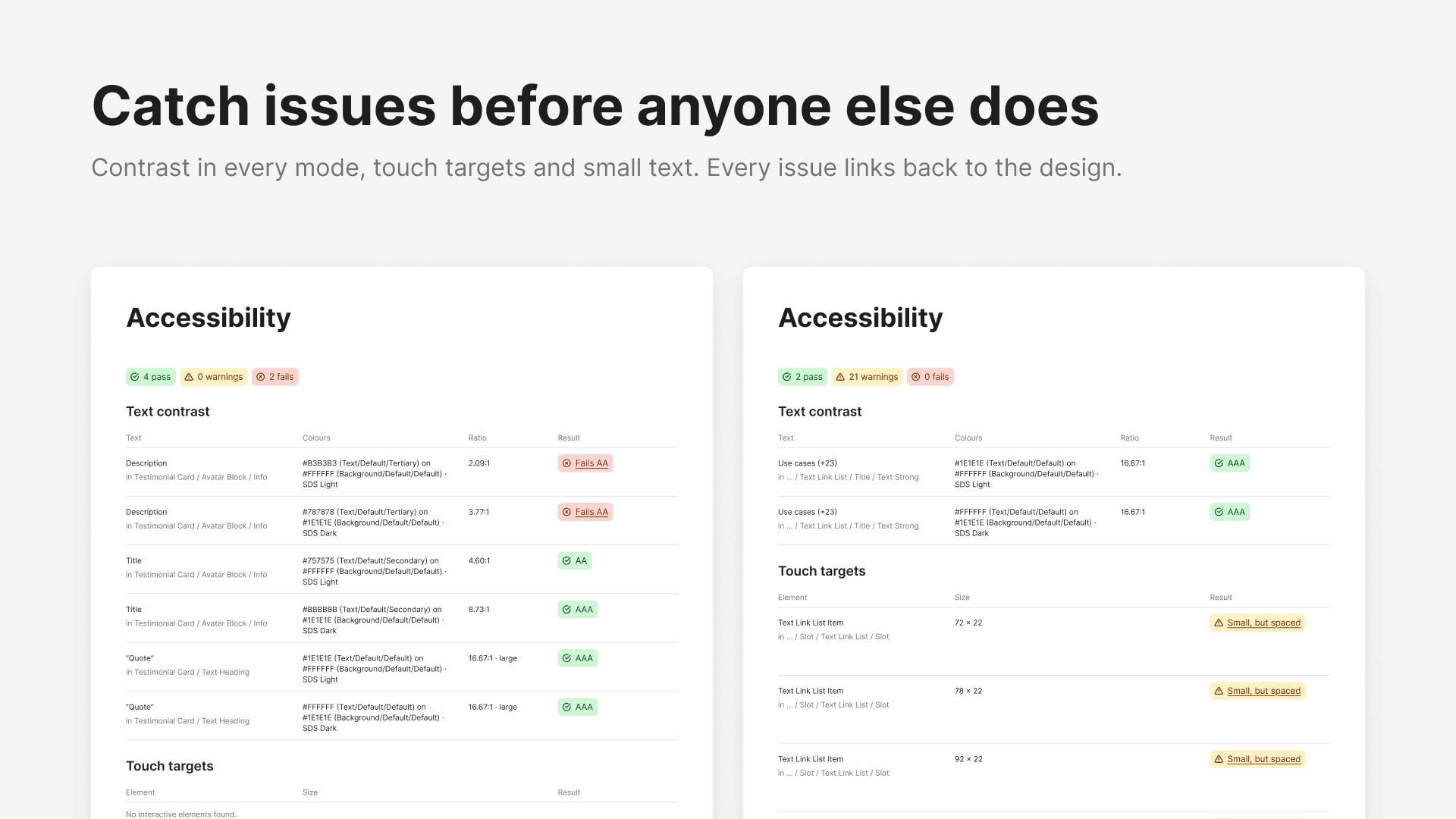
An audit while you design
Contrast in every mode, touch targets and small text, each one linked back to its layer.
Reflection
What building my own tool taught me
A lesson I learned
Building a plugin today is less scary than it sounds: with Claude Code, it mostly takes wanting to and putting in the hours. I worked the way I design any product: start small, try it on real files and run a QA pass after every update before adding the next piece. It's also the first tool I've made public, so I learned Figma's whole publishing flow along the way.
What’s next
Dynamic Handoff is live in the Figma Community, and designers have been sending me their ideas. Together with my own list of improvements, they shape how the plugin grows next.
Thanks
Specs by Nathan Curtis was my starting point and taught me a lot about good handoff. I needed documentation that stays in sync as the design changes, so Dynamic Handoff grew from there. Sample components in the images: Simple Design System by Figma (CC BY 4.0).